
You already use an AI assistant to write, think, and research. But every time you need SEO data (keyword volumes, competitor rankings, backlink counts), you stop. You open Ubersuggest. You pull the report. You copy the numbers. You switch back to the AI. You paste.
That workflow just became obsolete.
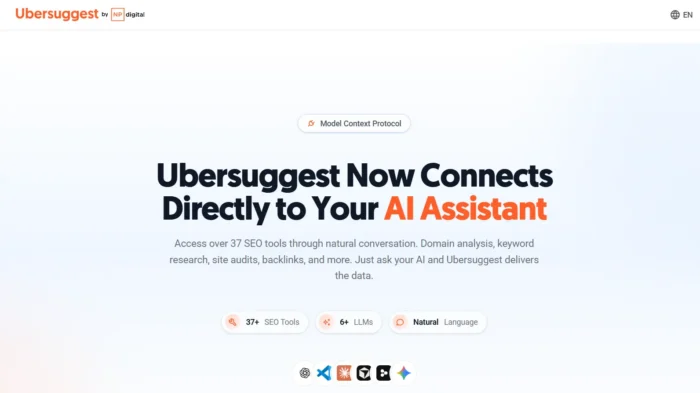
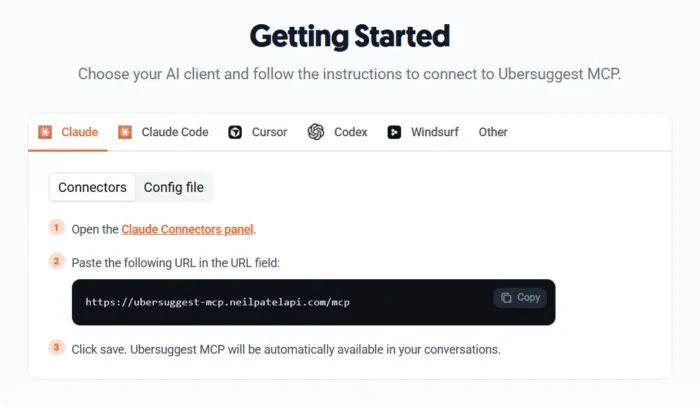
The Ubersuggest MCP connector integrates over 37 SEO tools directly into any MCP-compatible AI assistant: Claude, Cursor, Windsurf, and more. You ask your AI assistant a question. It queries Ubersuggest in real time. You get an answer.
No dashboards. No tab-switching. No copy-paste. Just your AI assistant, with Ubersuggest’s full keyword database and domain analysis engine running underneath it.
This post explains what MCP is, what’s inside the Ubersuggest connector, and how to set it up in about two minutes.
What Is MCP? (The 60-Second Version)
Model Context Protocol (MCP) is an open standard, originally developed by Anthropic and now widely adopted, that lets AI assistants connect directly to external tools and data sources. Think of it as a universal plugin system for AI: instead of an AI assistant working only with what’s already in its training data, MCP lets it query live, real-world information on demand.
When you connect the Ubersuggest MCP to your AI assistant, that assistant can now call Ubersuggest’s APIs directly during your conversation. You don’t have to do anything differently. You just ask questions, and your AI assistant fetches the data.
The protocol uses OAuth 2.0 authentication, so your Ubersuggest account credentials are secured. The connection is read-only. No changes are made to your account through the MCP.
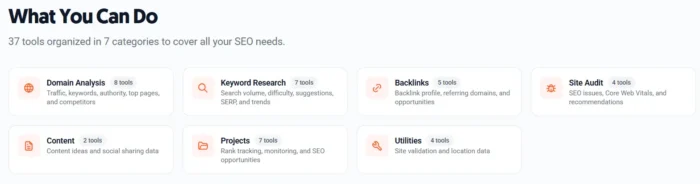
What the Ubersuggest MCP Gives You: 37 Tools Across 7 Categories
The connector gives your AI assistant access to the full Ubersuggest toolset, organized across seven categories:
1. Domain Analysis (8 tools)
Pull domain authority scores, traffic estimates, top-performing pages, organic keyword counts, and year-over-year performance trends for any domain, yours or a competitor’s.
2. Keyword Research (7 tools)
Access search volume, keyword difficulty, CPC, trend data, and keyword suggestions for any query in over 100 million keywords. Filter by country, language, or intent type.
3. Backlinks (5 tools)
Query backlink profiles: total backlinks, referring domains, domain rating of linking sites, anchor text distribution, and new/lost link history.
4. Site Audit (4 tools)
Run and retrieve site audit data: broken links, crawl errors, page speed issues, missing meta tags, and technical health scores.
5. Content (2 tools)
Get content ideas, SEO content scores, and optimization recommendations for target keywords.
6. Projects (7 tools)
Access your Ubersuggest project data: rank tracking results, keyword position history, and your tracked competitor comparisons.
7. Utilities (4 tools)
Helper functions for SERP data, related keyword expansion, and search intent classification.
Why This Changes Your SEO Workflow
The real value of the Ubersuggest MCP is the elimination of context-switching.